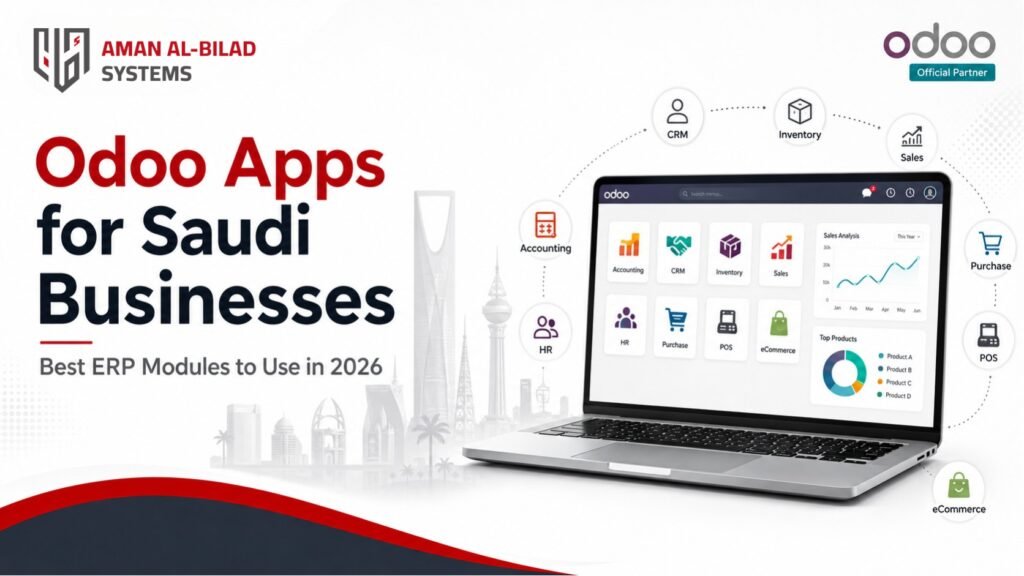
Odoo Apps for Saudi Businesses: Best ERP Modules to Use in 2026
Odoo gives businesses access to a wide range of integrated apps that can manage finance, sales, CRM, inventory, purchasing, POS, eCommerce, HR, payroll, manufacturing, projects, helpdesk, field services, and reporting from one connected ERP environment. For Saudi companies, choosing the right Odoo apps is not only a software decision. It is a business planning decision that affects financial control, compliance, operational visibility, customer experience, and future scalability.
Many organizations start by asking which Odoo apps they should use. The better question is: which apps should be implemented first based on business size, industry, compliance needs, data readiness, and operational priorities? For retail companies, POS, Inventory, Sales, Accounting, and eCommerce may be the first priority. Manufacturing businesses may need MRP, Inventory, Purchase, Quality, Maintenance, and Accounting at the initial stage. Service-based companies often begin with CRM, Sales, Project, Timesheets, Helpdesk, and Accounting.
This guide explains Odoo apps for Saudi businesses in 2026, how each app supports business operations, which apps matter most by industry, and how to choose the right implementation scope without overcomplicating the ERP rollout.
Which Odoo Apps Are Best for Saudi Businesses?
The best Odoo apps for Saudi businesses usually include Accounting, Sales, CRM, Inventory, Purchase, POS, eCommerce, HR, Payroll, Project, Manufacturing, Helpdesk, Website, and Field Service. The right combination depends on your industry, business process complexity, number of users, compliance requirements, and whether your organization needs retail, manufacturing, service, or multi-company operations.
What Are Odoo Apps and Modules?
Odoo apps, also called Odoo modules, are integrated business applications inside the Odoo ERP ecosystem. Each app manages a specific business area, such as accounting, sales, customer relationships, inventory, human resources, manufacturing, project management, or online commerce.
The value of Odoo comes from the way these apps work together. A quotation created in Sales can become a sales order, delivery order, invoice, accounting entry, stock movement, and customer record without separate disconnected systems. This integration reduces duplicate entry, improves reporting, and gives management a clearer view of operations.
Why Saudi Businesses Need the Right Odoo Apps
Saudi businesses operate in a market where digital transformation, financial transparency, customer expectations, and regulatory compliance are becoming increasingly important. Choosing the wrong apps, or activating too many apps too early, can increase cost, delay implementation, and make the system difficult for users to adopt.
The right Odoo app selection should support the organization’s immediate needs while leaving room for future expansion. For businesses in Saudi Arabia, this often means giving priority to accounting, ZATCA-ready invoicing workflows, inventory control, approvals, user access, reporting, and Arabic-English document requirements before moving into advanced automation.
Odoo Apps for Saudi Businesses: Best ERP Modules to Use in 2026
Odoo Accounting
Odoo Accounting is one of the most important apps for Saudi companies because it supports invoicing, payments, financial reporting, vendor bills, customer receivables, bank reconciliation, and accounting control. For Saudi businesses, accounting setup must also consider VAT handling, invoice formats, ZATCA-related e-invoicing requirements, multi-company reporting, and audit readiness. Accounting should usually be treated as a core phase-one app because most ERP processes ultimately connect to financial records.
Odoo Sales
Odoo Sales helps companies manage quotations, sales orders, customer pricing, products, order approvals, and invoice generation. It is useful for trading companies, distributors, service providers, manufacturers, and B2B organizations that need structured sales control. When connected with CRM, Inventory, and Accounting, the Sales app gives management a complete view from lead to quotation, order, delivery, and revenue.
Odoo CRM
Odoo CRM supports lead tracking, opportunity management, sales pipeline visibility, activities, follow-ups, and sales team performance. It is especially useful for companies that depend on sales teams, B2B relationships, tenders, recurring clients, or high-value deals. Saudi businesses can use CRM to improve lead response time, track inquiry sources, standardize sales follow-ups, and connect marketing activity with actual revenue opportunities.
Odoo Inventory
Odoo Inventory helps businesses manage stock levels, warehouses, transfers, receipts, deliveries, lots, serial numbers, reorder rules, and product movement. It is critical for retail, distribution, manufacturing, eCommerce, healthcare supply, restaurants, and logistics-related companies. In Saudi Arabia, businesses with multiple branches or warehouses should prioritize inventory visibility early because poor stock control directly affects sales, fulfillment, procurement, and customer satisfaction.
Odoo Purchase
Odoo Purchase manages vendor requests, purchase orders, approvals, vendor pricing, receipts, and procurement visibility. When integrated with Inventory and Accounting, it helps companies control purchasing cycles and reduce manual procurement tracking. Businesses with recurring suppliers, import activity, branch-level purchasing, or approval workflows should include Purchase in the initial ERP scope.
Odoo POS
Odoo POS is designed for retail stores, restaurants, cafes, and businesses that need point-of-sale transactions connected to inventory and accounting. It supports product sales, receipts, sessions, payments, and customer records. For Saudi retail operations, POS should be planned with inventory control, payment methods, invoice requirements, and store-level reporting in mind.
Odoo eCommerce
Odoo eCommerce helps businesses build an online store connected with products, inventory, sales, customers, payments, and order processing. It is useful for retailers, wholesalers, consumer brands, and companies expanding online sales channels. The strongest value comes when eCommerce is not separate from the ERP, but connected directly to stock, pricing, fulfillment, customer data, and accounting.
Odoo Website
Odoo Website allows companies to manage business websites, landing pages, forms, content, and online presence from within the Odoo ecosystem. It is useful for organizations that want website inquiries, forms, services, and eCommerce activity to connect with CRM or sales workflows. For B2B companies, the Website app can support lead generation when integrated properly with CRM and marketing activity.
Odoo HR and Employees
Odoo HR and Employees helps manage employee records, departments, contracts, time off, attendance-related workflows, and internal HR administration. For Saudi companies, HR requirements may also involve approvals, documents, employee data protection, and integration with payroll or attendance systems. HR apps are often implemented after finance and operations unless employee management is a core pain point.
Odoo Payroll
Odoo Payroll supports salary rules, payslips, payroll processing, and HR-related financial workflows. Payroll requirements can vary significantly based on local rules, company policies, benefits, deductions, allowances, attendance, overtime, and integrations. Saudi businesses should assess payroll requirements carefully before implementation because payroll often requires localization, validation, and strong testing.
Odoo Manufacturing / MRP
Odoo Manufacturing, also known as MRP, helps manufacturing companies manage bills of materials, production orders, work centers, routings, components, planning, and production costs. It is one of the most valuable apps for factories and industrial businesses, but it requires proper process mapping before implementation. Manufacturing should not be activated without clear BOM structures, inventory control, purchasing processes, costing approach, and operational responsibilities.
Odoo Project
Odoo Project helps companies manage tasks, stages, deadlines, responsibilities, timesheets, internal workflows, and project visibility. It is useful for service companies, construction businesses, IT firms, agencies, consultants, and internal departments. When connected with Sales, Timesheets, Accounting, and Helpdesk, Project can help track delivery performance and profitability.
Odoo Helpdesk
Odoo Helpdesk supports customer support tickets, issue tracking, service requests, SLA monitoring, team assignments, and customer communication. It is useful for IT companies, service providers, maintenance businesses, support teams, and organizations that need structured issue resolution. For growing companies, Helpdesk improves accountability and prevents customer requests from being lost in emails or WhatsApp conversations.
Odoo Field Service
Odoo Field Service helps businesses manage on-site jobs, technicians, appointments, work orders, customer visits, parts usage, and service completion. It is useful for maintenance companies, installation businesses, equipment service providers, healthcare service operators, facility management, and technical support teams. It becomes more powerful when connected to Inventory, Sales, Accounting, and Helpdesk.
Odoo Fleet
Odoo Fleet supports vehicle records, contracts, maintenance, costs, fuel logs, assignments, and operational tracking. It is useful for companies that manage delivery vehicles, service fleets, transportation assets, or employee vehicles. For Saudi companies with vehicle-heavy operations, Fleet can support cost visibility and maintenance planning, especially when connected with operations and accounting.
Odoo Marketing Apps
Odoo includes marketing-related apps such as Email Marketing, Marketing Automation, SMS Marketing, and Social Marketing. These apps can support campaigns, communication, lead nurturing, and customer engagement. They are useful once CRM and customer data are structured correctly. Marketing apps should not be treated as a replacement for strategy, but as tools to support controlled campaign execution and data visibility.
Best Odoo Apps by Industry in Saudi Arabia
The best Odoo app combination depends heavily on the industry. The table below gives practical recommendations for Saudi businesses planning an ERP rollout.
| Industry | Recommended Odoo Apps |
| Retail and eCommerce | POS, Inventory, Sales, eCommerce, Accounting, CRM, Purchase, Marketing |
| Wholesale and Distribution | Sales, Inventory, Purchase, Accounting, CRM, Barcode, Fleet, Reporting |
| Manufacturing | Manufacturing/MRP, Inventory, Purchase, Quality, Maintenance, Accounting, Sales, HR |
| Construction and Contracting | Project, Purchase, Inventory, Accounting, Timesheets, Approvals, HR, Documents |
| Healthcare and Medical Services | Accounting, Inventory, Purchase, HR, Appointments/Custom Workflows, CRM, Helpdesk, Reporting |
| Hospitality and Restaurants | POS, Inventory, Purchase, Accounting, HR, Website, CRM, Maintenance |
| Logistics and Transportation | Fleet, Sales, Accounting, Inventory, Field Service, CRM, Helpdesk, Reporting |
| Professional Services | CRM, Sales, Project, Timesheets, Accounting, Helpdesk, Documents, Reporting |
| Government and Public Sector | Accounting, Purchase, Approvals, Documents, Project, Helpdesk, Reporting, Custom Workflows |
| Education and Training | CRM, Website, eLearning, Accounting, HR, Project, Helpdesk, Custom Student Workflows |
Core Apps vs Advanced Apps: What Should You Start With?
One of the most common mistakes in Odoo implementation is trying to activate too many apps at once. A better approach is to separate core apps from advanced apps.
| Category | Recommended Approach |
| Core Phase-One Apps | Accounting, Sales, CRM, Inventory, Purchase, basic approvals, and reporting. |
| Industry-Critical Apps | POS for retail, Manufacturing for factories, Project for service delivery, Field Service for on-site work, or eCommerce for online sales. |
| Advanced Phase-Two Apps | Marketing Automation, BI dashboards, advanced custom modules, complex integrations, workflow automation, portals, and advanced analytics. |
A phased approach helps reduce implementation risk, control cost, train users properly, and stabilize business operations before adding more automation.
Saudi Compliance and Localization Considerations
For Saudi businesses, Odoo app selection should be reviewed against local compliance and operational requirements. Accounting, invoicing, POS, payroll, documents, approvals, and reporting may require Saudi-specific configuration or validation.
- ZATCA e-invoicing requirements and invoice validation workflows.
- VAT setup, tax reports, and financial document configuration.
- Arabic and English invoices, quotations, purchase orders, and reports.
- Multi-company, multi-branch, and multi-currency structures where required.
- Role-based access, approval controls, and audit trails.
- Payroll, HR, attendance, and employee data requirements where HR modules are included.
- Integration with payment gateways, websites, mobile apps, logistics systems, or third-party platforms.
These requirements should be reviewed before implementation begins. Treating compliance as a later add-on can delay go-live and increase the need for rework.
How to Choose the Right Odoo Apps Before Implementation
Start with business pain points
Identify the biggest operational problems first: manual invoicing, poor stock visibility, weak sales tracking, delayed approvals, disconnected systems, or limited reporting.
Map apps to business processes
Do not choose apps only because they exist. Choose them because they support a real process that needs to be improved, controlled, or automated.
Separate must-have from nice-to-have
Define phase-one apps based on business continuity and compliance. Move advanced enhancements to later phases.
Check data readiness
Apps such as Inventory, Accounting, Manufacturing, and CRM depend heavily on clean master data. Poor data readiness can delay implementation.
Review integration requirements
If Odoo must connect with a website, mobile app, payment gateway, logistics platform, or legacy system, integration scope should be identified early.
Validate Saudi compliance needs
Accounting, POS, invoicing, payroll, documents, and reports should be checked against Saudi operational and compliance expectations.
Plan training by user role
Each app should have practical training for the users who will operate it daily. User adoption is as important as technical setup.
Common Mistakes When Selecting Odoo Apps
- Activating too many apps in the first phase without clear priorities.
- Choosing apps without mapping real business processes.
- Ignoring data migration effort before selecting inventory, accounting, or manufacturing apps.
- Underestimating Saudi compliance requirements such as ZATCA, VAT, Arabic documents, and approval controls.
- Over-customizing instead of using standard Odoo workflows where suitable.
- Treating CRM, sales, inventory, and accounting as separate systems instead of one integrated flow.
- Skipping user training and expecting teams to adapt automatically.
- Not planning post-go-live support and continuous improvement.
Why Work with Aman Al Bilad Systems?
Aman Al Bilad Systems helps Saudi and GCC businesses evaluate, implement, customize, integrate, and support Odoo ERP through a structured delivery approach. We do not recommend apps only based on software availability. We assess business processes, compliance requirements, reporting needs, integrations, user roles, and long-term scalability before defining the Odoo app roadmap.
Our approach supports:
- Odoo app selection based on business priorities and implementation readiness.
- Saudi-ready ERP planning with ZATCA, VAT, Arabic-English documents, and approval workflows in mind.
- Controlled customization that protects scalability and upgrade compatibility.
- Secure API integrations with websites, mobile apps, payment gateways, and third-party systems.
- Phased implementation planning to reduce risk and improve user adoption.
- Training, documentation, go-live support, and continuous improvement.
If your organization is unsure which Odoo apps to start with, the safest step is a structured ERP assessment. This helps define the right phase-one scope, avoid unnecessary customization, estimate implementation effort, and build a roadmap that supports growth.
FAQs About Odoo Apps in Saudi Arabia
What are the best Odoo apps for Saudi businesses?
The best Odoo apps for Saudi businesses usually include Accounting, Sales, CRM, Inventory, Purchase, POS, eCommerce, HR, Payroll, Project, Manufacturing, and Helpdesk. The right apps depend on your industry, business size, workflows, compliance requirements, and growth plans.
Which Odoo app should a business implement first?
Most companies should start with the apps that support finance, sales, inventory, and core operations. Accounting, Sales, CRM, Inventory, and Purchase are common phase-one apps, while POS, eCommerce, Manufacturing, HR, or Project should be added based on industry needs.
Does Odoo support ZATCA requirements in Saudi Arabia?
Odoo can support Saudi invoicing requirements through proper localization, configuration, compatible modules, or integration with approved e-invoicing solutions. ZATCA-related requirements should be reviewed during discovery and validated before go-live.
Is Odoo suitable for retail businesses in Saudi Arabia?
Yes. Odoo can support retail operations through POS, Inventory, Sales, Accounting, Purchase, CRM, eCommerce, and customer management. Retailers should prioritize stock visibility, payment workflows, invoicing, store reporting, and online-offline integration.
Is Odoo suitable for manufacturing companies?
Yes. Manufacturing companies can use Odoo Manufacturing/MRP, Inventory, Purchase, Quality, Maintenance, Accounting, and Sales. However, manufacturing implementation requires proper BOM setup, production process mapping, costing review, and inventory accuracy.
Can Odoo apps be implemented in phases?
Yes. Phased implementation is often the safest approach. Businesses can start with core apps, stabilize operations, train users, and then add advanced apps such as automation, BI dashboards, portals, eCommerce, or complex integrations.
What is the difference between Odoo apps and Odoo modules?
Odoo apps and modules are often used interchangeably. Both refer to functional components inside Odoo, such as Accounting, CRM, Sales, Inventory, POS, or Manufacturing. In practice, businesses select apps/modules according to operational needs.
Can Odoo integrate with websites, mobile apps, and payment gateways?
Yes. Odoo can integrate with websites, mobile apps, payment gateways, logistics platforms, CRM tools, and other third-party systems through APIs or connectors. Integration scope should be defined early during the implementation planning stage.
How do I know which Odoo apps my company needs?
Start with a business process assessment. Review finance, sales, inventory, HR, operations, reporting, compliance, and integration needs. Then separate must-have apps from phase-two enhancements and create a realistic implementation roadmap.
Should small businesses use all Odoo apps?
No. Small businesses should avoid activating too many apps at the beginning. A focused implementation with the most important apps is usually more effective, easier to train, and less risky than a large rollout with unnecessary features.
Request Odoo App Selection Consultation
Are you planning to implement Odoo in Saudi Arabia but unsure which apps to start with? Share your business requirements with Aman Al Bilad Systems. Our team will assess your operations, users, workflows, integrations, data readiness, and compliance needs to recommend the right Odoo app roadmap for your organization.